
Navigation and controls
Find your way around the sidebar, header and the controls shared by most lists.
Main navigation#
The sidebar contains:
- Dashboard
- Leads
- Lead Campaigns (admin only)
- Customers, with All Customers and Trips Calendar
- Quotations, with Quotes, My Packages, PDF Templates and Policies & Notes
Select your name card at the bottom of the sidebar to open the account menu. It lists Profile and, when your role allows them, Wallet, Organisation, Subscription and Agents. It also links to Privacy Policy, Terms & Conditions, Contact Us and Logout.
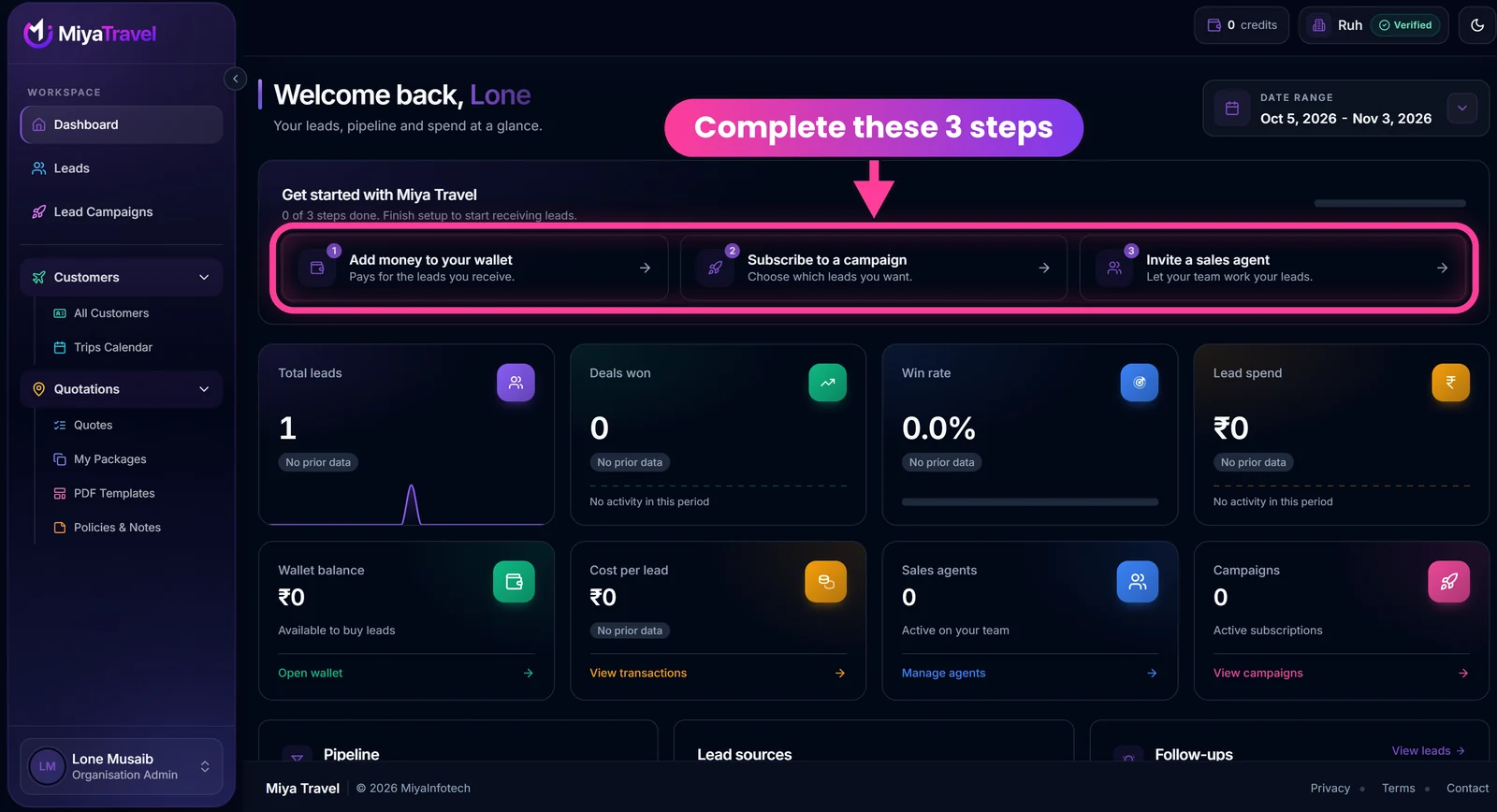
The account card at the bottom of the sidebar shows your name and role (for example, Organisation Admin). Open it to reach the account menu.
Sidebar behaviour#
- On desktop, use the edge arrow to collapse the sidebar to icons or expand it. The app remembers your choice.
- Customer and quotation groups can be opened and collapsed.
- On mobile and tablet, use the menu button in the header. Choosing a route closes the drawer.
Header controls#
| Control | What it does |
|---|---|
| Free trial | Shown only when your organisation is eligible |
| Wallet balance | Admin only. Opens a balance popover and the top-up action |
| Organisation badge | Shows your organisation name and verification state |
| Theme | Choose Light, Dark or System. The preference persists |
Common list behaviour#
Most lists provide some of the following:
- search with a short delay (debounce);
- filters;
- pagination or load-more;
- empty-state guidance;
- loading placeholders;
- retry controls after failures;
- confirmation dialogs before destructive actions;
- toast messages after success, warning or failure.
Network and unexpected errors#
The app detects an offline or unavailable API state and shows a network overlay. Page-level API failures show an error placeholder with a retry path. An unexpected rendering failure is caught by the global error screen.
Frequently asked questions#
How do I switch to dark mode?
Open the sun or moon control in the header and choose Light, Dark or System. System follows your device.
Why can't I see the wallet in the header?
The wallet balance is shown to organisation admins only.
Does the sidebar remember its state?
On desktop, yes. The collapsed or expanded state is remembered.