
Dashboard
Review pipeline health, spend and team performance for any date range.
Organisation admin dashboard#
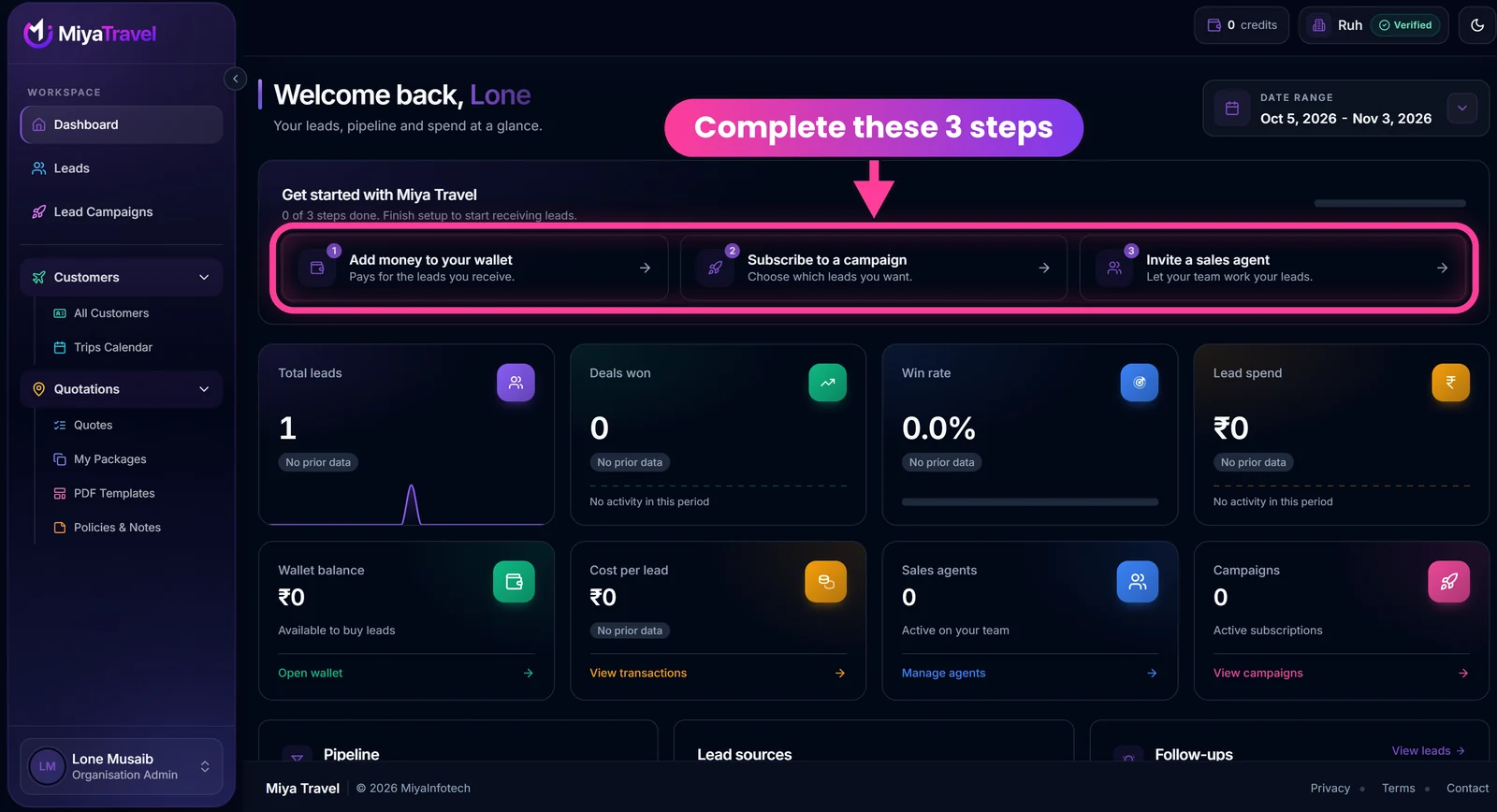
At the top, the header shows your credits, your organisation name with its Verified badge and the theme switch. The date range selector on the right controls the figures on the page.
Use the date-period controls to review:
- total leads;
- deals won;
- win rate;
- lead spend;
- wallet balance;
- number of sales agents;
- number of campaign subscriptions;
- total lead cost;
- daily lead and won-deal trend;
- lead pipeline by status;
- daily wallet spend on purchased leads;
- lead sources;
- agent performance, including leads, won and lost counts, and win rate;
- top requested destinations;
- follow-ups split into overdue, due today and other open items;
- comparison against the previous period where provided.
Dashboard actions take the admin directly to the relevant area, such as overdue follow-ups.
Get started card#
A new organisation sees Get started with Miya Travel above the figures. It counts completed steps (for example, "0 of 3 steps done") and lists:
- Add money to your wallet. Pays for the leads you receive. See Wallet and top-ups.
- Subscribe to a campaign. Choose which leads you want. See Lead campaigns.
- Invite a sales agent. Let your team work your leads. See Invite and manage agents.
Summary cards and shortcuts#
| Card | What it shows | Shortcut |
|---|---|---|
| Total leads | Leads in the selected period, with a small trend line | None |
| Deals won | Won deals in the period | None |
| Win rate | Share of leads won | None |
| Lead spend | Money spent on purchased leads | None |
| Wallet balance | Amount available to buy leads | Open wallet |
| Cost per lead | Average price paid per lead | View transactions |
| Sales agents | Active agents on your team | Manage agents |
| Campaigns | Active campaign subscriptions | View campaigns |
Below the cards, Pipeline, Lead sources and Follow-ups summarise where leads stand. View leads opens the follow-ups list.
A new account shows No prior data and zero values until leads arrive. This is normal.
Sales agent dashboard#
Agents see a personal performance view centred on their assigned leads and sales activity, rather than organisation-wide spend and team management.
How to use the dashboard#
- Daily admin check: review spend, pipeline, performance and follow-ups, then assign unassigned leads.
- Campaign review: compare lead sources and total lead cost to judge which campaigns pay off.
- Coaching: use agent performance (leads, won, lost, win rate) in team reviews.
Frequently asked questions#
What does win rate mean on the dashboard?
It shows how many leads were won out of the leads in the selected period, per organisation and per agent.
Where can I see how much I spent on campaign leads?
The admin dashboard shows lead spend, total lead cost and the daily wallet spend on purchased leads.
Do agents see organisation-wide spend?
No. Agents see a personal performance view.